
Headcount Management: The Complete Guide for Enterprise Teams

Ask five people in your organization what the current headcount is, and you'll get five different numbers. Finance pulls from the budget model. HR pulls from Workday. Recruiting counts approved reqs. The hiring manager counts butts in seats. Nobody is wrong, exactly. They're all looking at headcount through a different lens, with different definitions and different data sources.
That gap is the central problem of headcount management at enterprise scale. It's not a data problem. It's an alignment problem. And it gets worse as companies grow, add departments, and stack more systems on top of each other.
This guide covers what headcount management actually is, the four components that make it work, and the missing layer that most enterprise teams don't know they need.

What Is Headcount Management?
Headcount management is the operational discipline of tracking, reconciling, and governing your workforce numbers across Finance, HR, and Recruiting. It covers the full lifecycle: from planning a position, through approval and hiring, to tracking that person as an active employee, and managing what happens when they leave.
Headcount Management vs. Headcount Planning vs. Headcount Governance
These three terms get used interchangeably, but they're different disciplines that work together:
Headcount planning is forward-looking. It answers: "How many people do we need, where, and when?" It's the budgeting and forecasting exercise that happens annually or quarterly.
Headcount management is operational. It answers: "What's our headcount right now, and does it match the plan?" It's the ongoing discipline of tracking, reconciling, and reporting on your workforce.
Headcount governance is the accountability layer. It answers: "Who approved this position, is it funded, and does it comply with our policies?" Governance ensures that headcount changes follow a controlled process with clear ownership.
Most enterprise teams have some version of planning. Most have some version of management, even if it's messy. Very few have governance. That's the gap that creates the five-different-numbers problem. Understanding what headcount governance actually means is the first step toward closing it.
Component 1: Headcount Tracking
Tracking sounds basic. It isn't. At enterprise scale, headcount tracking means maintaining an accurate, real-time count of your workforce across every dimension that matters for decision-making.
What to Track
The minimum viable headcount tracking system covers:
Active employees by department, location, cost center, and job family
Open positions that are approved and funded
Pending hires (offers extended, accepted, with start dates)
Recent departures and their replacement status
Contractors and contingent workers (often tracked separately, but they consume budget)
The Tracking Challenge
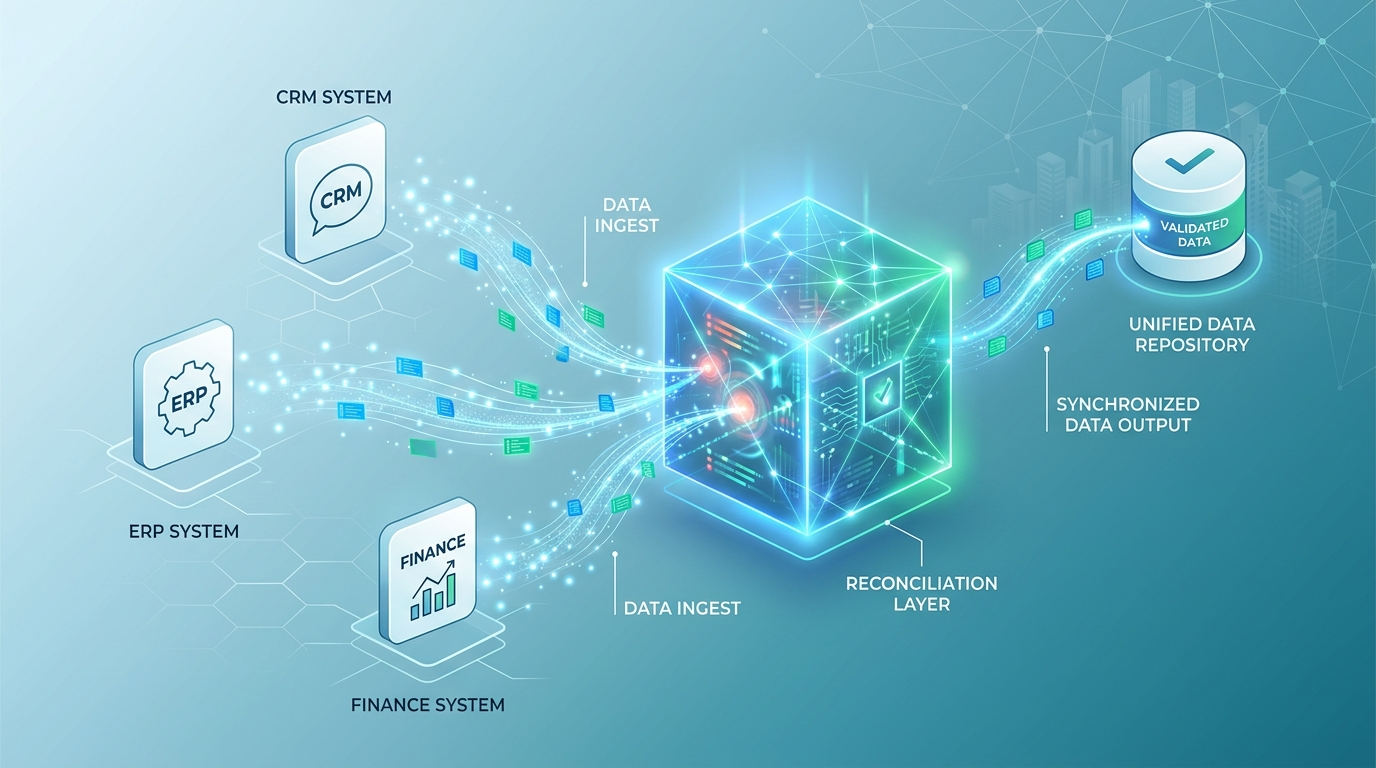
The problem isn't the categories. It's the data sources. Employee data lives in Workday, open positions live in your ATS, budget data lives in your FP&A tool, and org charts live in a combination of all three plus a few spreadsheets that somebody built three years ago.
Each system updates on its own schedule. At any given moment, these systems are out of sync. That's not a bug. It's the fundamental architecture of enterprise HR technology. Gartner reports that 55% of HR technology leaders say their systems don't meet business needs. The systems were never designed to talk to each other in real time.
Getting Tracking Right
The foundation is a single reconciled view that pulls from all systems and presents one number that Finance, HR, and Recruiting all trust. The Kinnect platform was built to create this view, connecting Workday data with ATS data and financial models so every stakeholder sees the same headcount number.

Component 2: Headcount Reconciliation
If tracking tells you what your headcount is, reconciliation tells you whether that number is right. Reconciliation is the process of comparing headcount data across systems, identifying discrepancies, and resolving them.
Common Reconciliation Gaps
Here are the discrepancies that show up in almost every enterprise:
Ghost positions. A position was approved six months ago, a req was opened, but the role was never filled. It's still sitting in the ATS as "open" and in the budget as "planned spend." Is it real? Nobody knows.
Mismatched cost centers. An employee transferred from Engineering to Product, but the cost center change hasn't been processed in Workday yet. Finance is charging the salary to the wrong department.
Backfill confusion. Someone left. A backfill was approved. But was it a 1:1 replacement, or did the hiring manager upgrade the level? The budget assumed the same comp. The offer came in $30,000 higher. Nobody caught it until month-end close.
Contractor conversions. A contractor was converted to full-time, but the contingent worker headcount wasn't decremented. Your total headcount looks like it grew by one, but it was actually flat.
Why Manual Reconciliation Fails
Most enterprises reconcile headcount monthly using HRIS exports, ATS reports, and spreadsheet comparisons. This takes a dedicated analyst 2-3 days per month, and by the time it's complete, the data is already stale.
Organizations using automated real-time reconciliation report eliminating 100% of manual data matching between systems. The real cost of manual reconciliation isn't the analyst's time. It's the decisions made between cycles using bad data.

Component 3: Headcount Reporting
Reporting is where headcount management becomes visible to leadership. The quality of your headcount reports determines whether executives trust the numbers enough to make decisions based on them.
Three Levels of Reporting
Operational reporting serves HR and Finance teams who manage headcount daily. These reports are detailed, granular, and updated frequently. Examples: open position aging reports, time-to-fill by department, headcount variance by cost center.
Management reporting serves VPs and department heads who need to understand their team's headcount position. These reports are summarized by department or function, with enough detail to explain variances. Examples: budget vs. actual headcount by department, hiring pipeline status, attrition trends.
Executive and board reporting serves C-suite and board members who need the strategic view. These reports are visual, high-level, and focused on trends and variances. Examples: total headcount waterfall (start of year to current), workforce cost as a percentage of revenue, investment allocation by function.
The Reporting Trap
Most enterprise teams build reports from scratch every month. Someone downloads data from three systems, pastes it into a master spreadsheet, builds pivot tables, creates charts, and assembles a deck. That process takes days. And because it's manual, it's fragile.
The alternative is automated reporting that pulls directly from reconciled data. When your headcount tracking and reconciliation are automated, reporting becomes a read-out, not a rebuild.
Component 4: Workflow Management
Workflow management governs how headcount changes happen. It's the process layer that controls approvals, enforces policies, and creates an audit trail for every headcount decision.
The Headcount Change Lifecycle
Every headcount change, whether it's a new position, a backfill, a transfer, or an elimination, should follow a defined workflow:
1. Request. Someone submits a headcount change request with justification and budget impact.
2. Review. The request is reviewed by the appropriate approvers (manager, VP, Finance, HR) based on the type and cost of the change.
3. Approval. The request is approved, denied, or sent back for modification.
4. Execution. The approved change is executed in the relevant systems (HRIS, ATS, budget model).
5. Verification. The change is verified across systems to ensure consistency.
Where Workflows Break Down
In most enterprises, this lifecycle exists in theory but not in practice. The "request" is an email. The "review" is a Slack thread. The "approval" is a verbal yes in a meeting. The "verification" never happens.
Companies that implement structured headcount workflows report a 40% reduction in headcount request volume, not because they're blocking legitimate requests, but because a formal process eliminates the casual, unplanned requests that drive headcount creep.
This is one of the most common mistakes enterprises make with Workday headcount management: treating the HRIS as the workflow engine when it was designed as a system of record.
What Is the Missing Layer in Enterprise Headcount Management?
If you have tracking, reconciliation, reporting, and workflow management, you have a headcount management system. But you're still missing the layer that makes it all enforceable: governance.
Headcount governance adds three things that management alone doesn't provide:
Budget enforcement. Every headcount change is validated against available budget before it can proceed. No budget, no req.
Policy compliance. Headcount changes are checked against organizational policies (level thresholds, compensation bands, approval hierarchies) automatically. This catches exceptions before they become problems.
Accountability and audit. Every headcount decision has a clear owner, a documented approval chain, and a timestamp. When the board asks "who approved this hire," the answer takes seconds, not days.
Without governance, your headcount management system can tell you what happened. With governance, it ensures the right things happen in the first place. For HR teams managing headcount across large organizations, governance transforms headcount management from a reactive reporting exercise into a proactive control function.
How Do I Know If My Headcount Management System Is Working?
Four questions to ask:
1. Can I get the current headcount number in under 60 seconds? If not, your tracking needs work.
2. Does Finance agree with HR's headcount number? If not, your reconciliation is broken.
3. Can I produce a board-ready headcount report in under an hour? If not, your reporting is too manual.
4. Can I trace every headcount change back to an approved request? If not, you don't have governance.
Most enterprises answer "no" to at least two.
What's the Difference Between Headcount Management Software and an HRIS?
Your HRIS is a system of record for employee data. It stores information about people and processes transactions. But it wasn't designed for headcount management. It doesn't reconcile its own data against your budget model. It doesn't enforce that every new position is funded. It doesn't give Finance and Recruiting the same view that HR has.
Headcount management software sits on top of your HRIS and adds the tracking, reconciliation, reporting, and governance layers. It doesn't replace your HRIS. It makes your HRIS data useful for the people who need it most.
Conclusion
Enterprise headcount management requires four components working together: accurate tracking across all systems, continuous reconciliation to catch discrepancies, automated reporting that leadership trusts, and structured workflows that create accountability. The missing piece for most organizations is the governance layer that enforces budget controls and approval policies before headcount changes happen.
Headcount represents 60-70% of your operating expenses. Managing it well isn't an HR function or a Finance function. It's a cross-functional discipline that requires shared data, shared definitions, and shared accountability. Kinnect was built to provide that shared foundation for enterprise teams running on Workday.
Book a demo with Seena to see how Kinnect brings headcount management and governance together in one platform.