
How to Fix Workday Position Management Security Access Issues (Without Compromising Data Protection)

It's a familiar scenario: Your company has 500 positions, but somehow your headcount tracker shows 501. Then 502. Before you know it, you're dealing with unauthorized positions, blown budgets, and three departments pointing fingers at each other.
The culprit? It's not that Workday position management breaks your security model--it's that your security model is breaking position management. With 50+ collective years of Workday implementation experience, we've seen this scenario play out countless times: well-intentioned security configurations that give too many people access to create, edit, or close positions without proper governance.
Here's the reality most organizations miss: Position management isn't just about managing positions. It's about controlling your entire headcount. Every time someone creates or closes a position, they're directly impacting your company's workforce numbers and budget.
The Real Problem: When Your Security Model Breaks Workday Position Management
Most organizations approach Workday position management security backwards. They focus on protecting data from unauthorized access while accidentally creating a bigger problem: giving too many people the power to change headcount without proper oversight.
When Position Access Controls Go Rogue: The Scrambling Effect
When you give broad access to position management functions in Workday, you create a domino effect. Someone with termination access decides to close a position during an employee exit. A manager doing a job change creates a new position without considering the old one. An HR partner processes a backfill without proper approval workflows.
Each action seems innocent, but collectively, they throw your Workday headcount management into chaos:
Finance discovers budget variances they can't explain.
Recruiting pursues roles that shouldn't exist.
HR scrambles to reconcile headcount numbers across systems.
The Cascade of Consequences: Excessive Operational Overhead
The most serious consequence? Organizations losing control of their entire headcount foundation. When position creation and closure happen without governance, companies end up with ghost positions inflating their budgets, critical roles that get eliminated by accident, and Workday headcount management software that can't provide accurate reporting because the underlying data is compromised.
How to Set Up Workday Security to Enable Effective Position Management
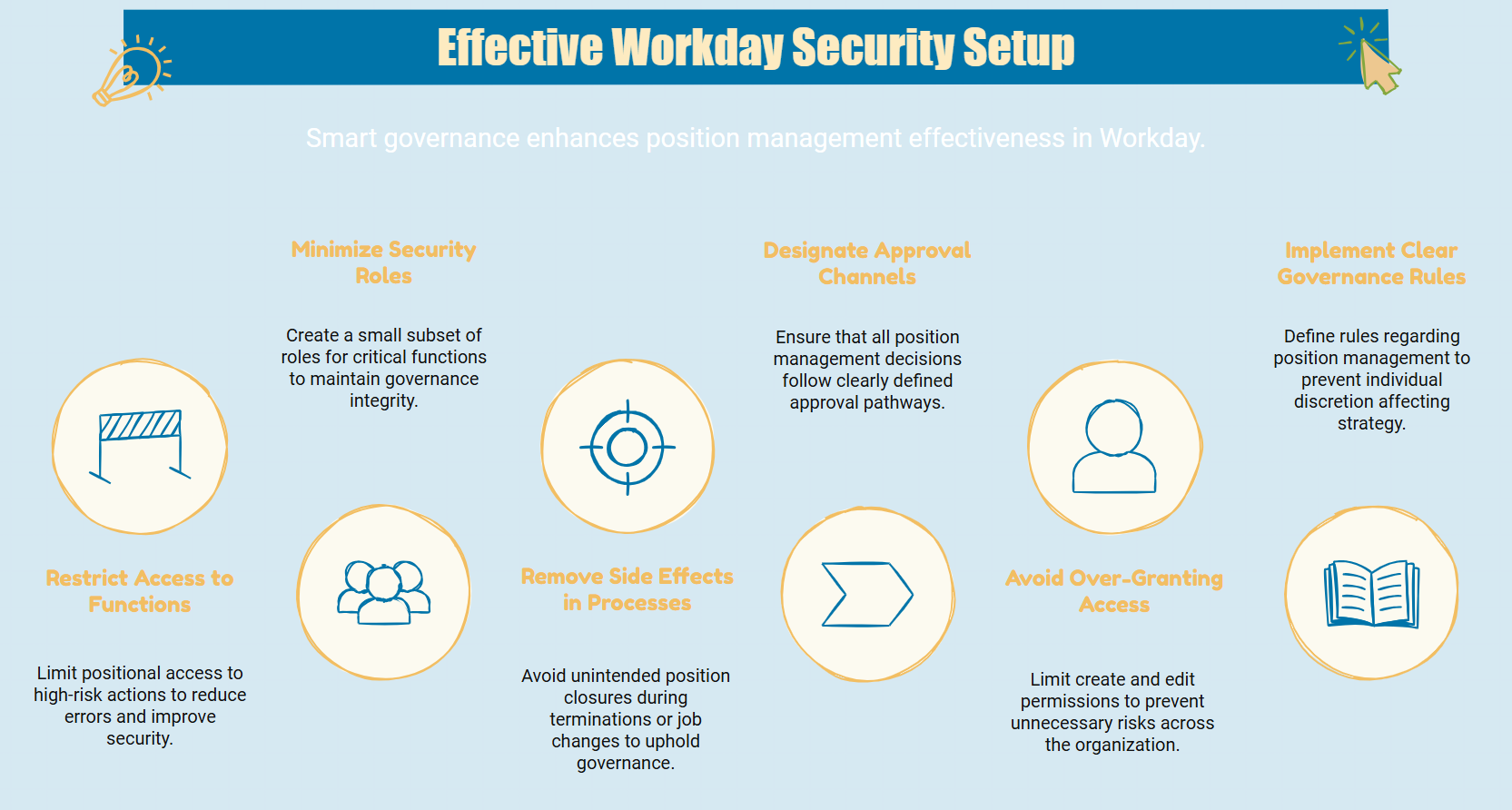
The solution isn't locking down everything--it's implementing smart governance that prevents problems before they happen.
Avoid These 3 Common Security Configuration Mistakes:
Granting too much accessibility to position business processes
Poor business process and foundational configuration (allowing position closure within termination workflows)
Lack of governance framework
How to Configure Security Groups for Position Management in Workday:
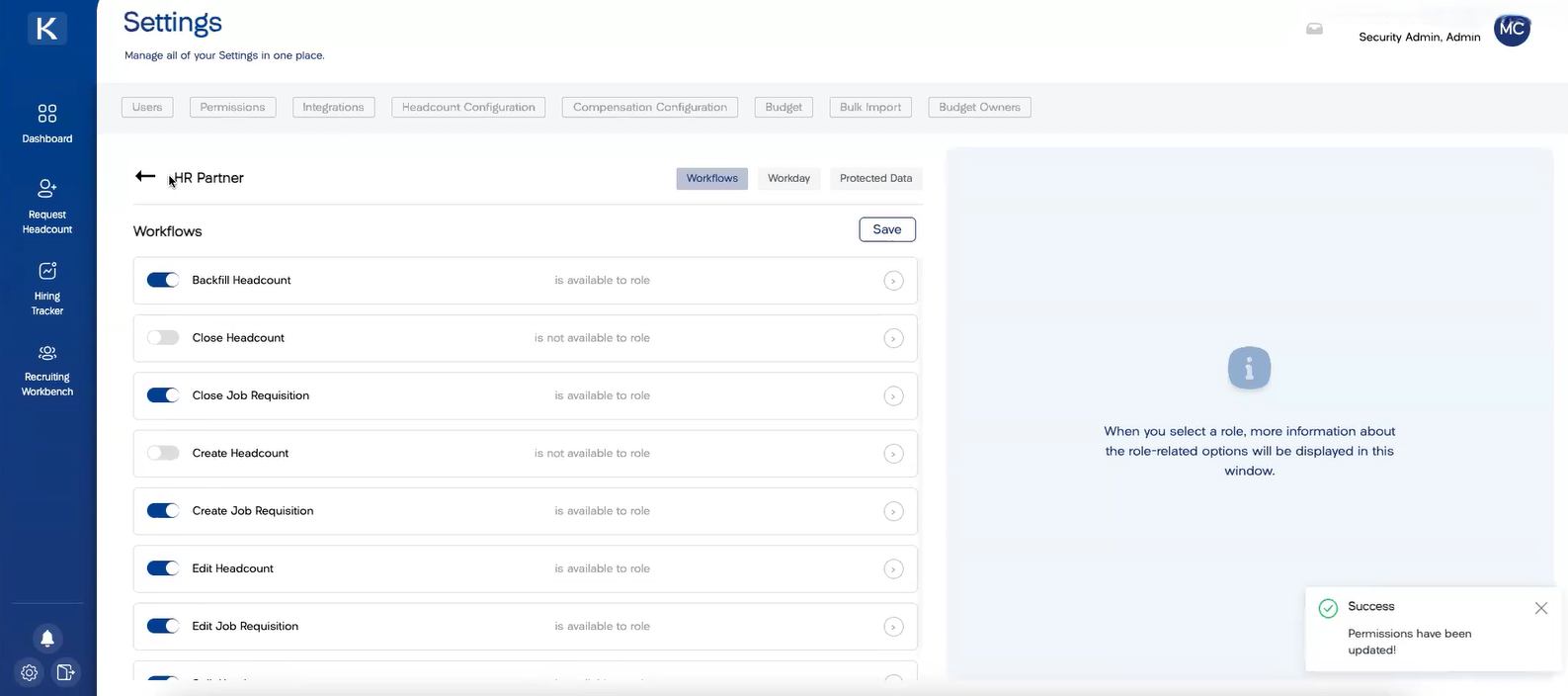
Create a very small subset of security roles that can access, create, and close position functions
Restrict create position and close position access to only administrators or designated position management specialists
Remove these permissions from general HR business partner roles and manager self-service access
Configure business processes to remove position closure options from termination and job change workflows
The goal: ensure that only your Workday headcount management software integration or specifically authorized users can create positions
Eliminate Position Management Security Headaches with Simplified Headcount Management Software
Simple Role-Based Access Controls
Instead of navigating Workday's cumbersome security setup, administrators use straightforward one-click permission settings to define exactly who can create, edit, or close headcount.
Automated System-Level Security That Eliminates Human Error
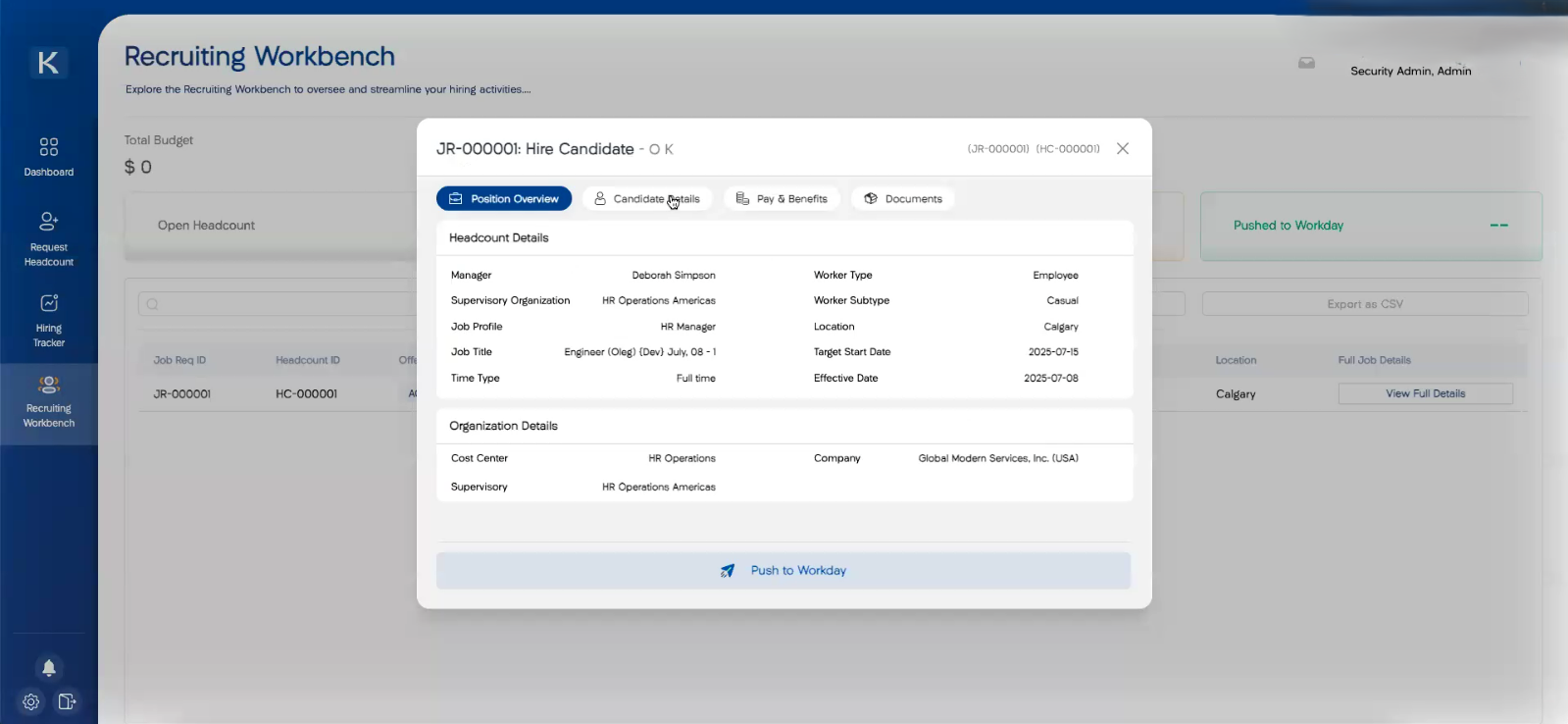
When you approve headcount in the platform, the actual position gets created in Workday through system integration, not manual user input. This means only the integration system has access to Workday's create position business process.
The process works seamlessly:
Create and approve headcount in the system.
Push the requisition to your ATS for recruiting.
Receive candidate and offer details back from the ATS.
Push everything to Workday for hiring.
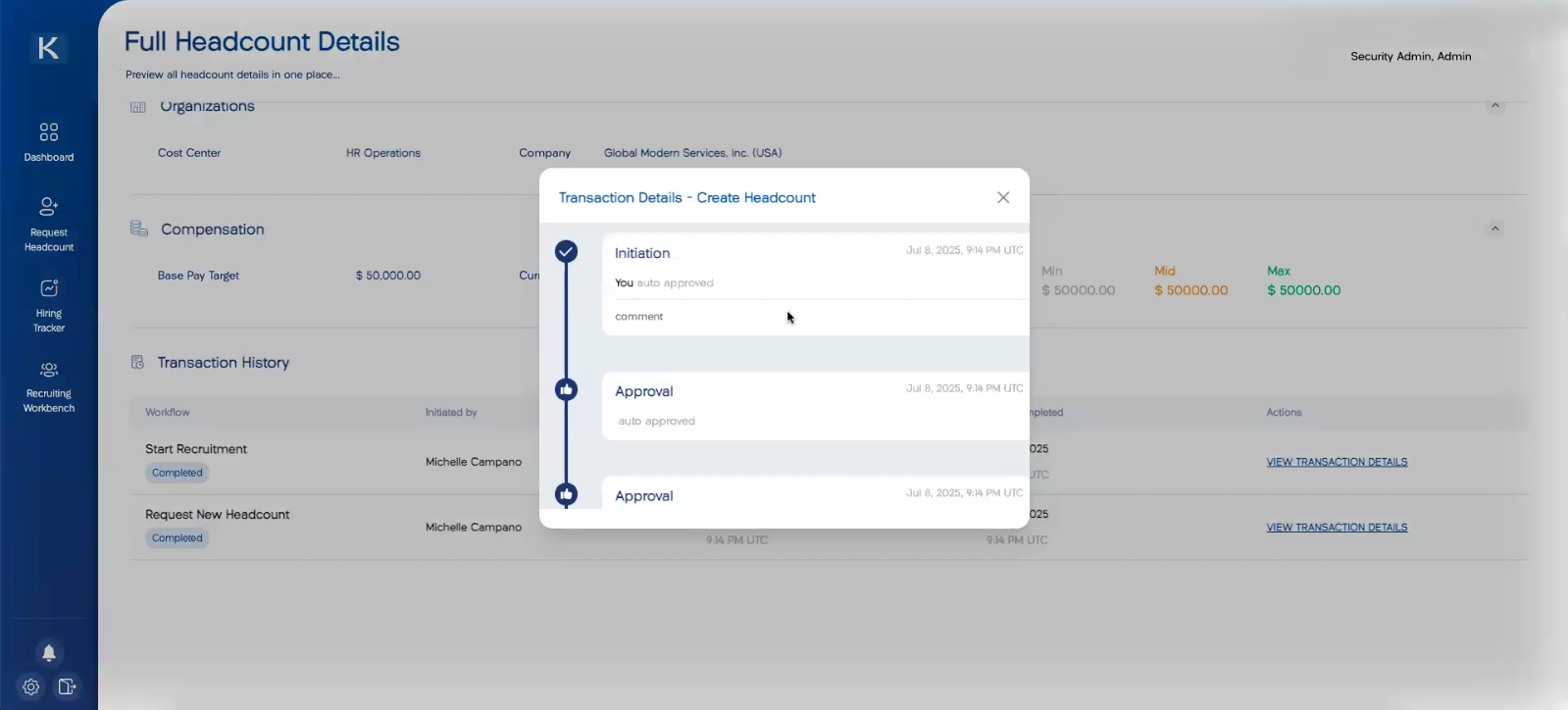
Automatic Audit Trails
Every action creates an automatic audit trail showing who initiated requests, who approved them, and exactly what happened.

Take Control of Your Position Management Security Today
Position management security doesn't have to be the thorn in your side that keeps your HR, Finance, and Recruiting teams scrambling to reconcile headcount discrepancies. The key is moving beyond reactive fixes to proactive governance. When your Workday headcount planning operates through governed workflows instead of hoping users make the right choices, you eliminate the security vulnerabilities that create operational chaos.
Ready to eliminate position management headaches for good? A personalized demonstration can show you how to transform your Workday security from liability to strategic advantage.
Ready to transform your headcount management? Book a demo with Seena